Inventor
- Product type
- Total time
Inventor


Provider rating:
Description
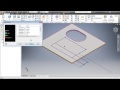
This course will provide users with a thorough understanding of the principal 3D design, validation, and documentation processes necessary for developing products using Autodesk Inventor. After completion, users will: * Capture design intent by using the proper techniques and recommended workflows for creating intelligent 3D parametric part * Create, place, and constrain custom and standard components in an assembly * Simulate mechanisms, animate assembly designs, and check for interferences * Document designs using base, projected, section, detail, and isometric drawing views * Document assemblies using standard and exploded drawing views * Follow drafting standards while dimensioning and a…
Frequently asked questions
There are no frequently asked questions yet. If you have any more questions or need help, contact our customer service.
This course will provide users with a thorough understanding of the principal 3D design, validation, and documentation processes necessary for developing products using Autodesk Inventor. After completion, users will: * Capture design intent by using the proper techniques and recommended workflows for creating intelligent 3D parametric part * Create, place, and constrain custom and standard components in an assembly * Simulate mechanisms, animate assembly designs, and check for interferences * Document designs using base, projected, section, detail, and isometric drawing views * Document assemblies using standard and exploded drawing views * Follow drafting standards while dimensioning and annotating drawing views with automated balloons and parts lists
WHO IS THIS COURSE FOR?
This course ware is designed for new Autodesk Inventor users.
ASSUMED KNOWLEDGE
No previous CAD experience is necessary. Working knowledge of the following: * Drafting, design, or mechanical engineering principles. * Microsoft® Windows® Vista or Microsoft® Windows® XP.
WHAT YOU WILL LEARN
* Introduction to Autodesk Inventor * Creating Base Features * Sketching Geometry * Additional Sketching Tools * Sketched Secondary Features * Creating pick and placed features * Work Features * Equations * Model and display manipulation * Fixing Problems * Sweep Features * Loft Features * Duplication Tools * Feature Relationships and much much more
Share your review
Do you have experience with this course? Submit your review and help other people make the right choice. As a thank you for your effort we will donate £1.- to Stichting Edukans.There are no frequently asked questions yet. If you have any more questions or need help, contact our customer service.